
Academy
Flipsson Academy is a plan for academies that teach their own enrolled students. The director manages classes and students, and affiliated instructors can be invited at no additional cost to take charge of classes. Pricing is determined by a monthly base fee and the number of enrolled students, so it scales with the size of the academy.
Operating Structure
Permissions by Role
| Feature | Director | Affiliated instructors |
|---|---|---|
| Create lessons · Edit content | ○ | — |
| Enroll students · Manage roster | ○ | — |
| Set per-class capacity · Assign instructors | ○ | — |
| Connect content providers · Manage billing | ○ | — |
| Teach lessons (live class) | ○ | ○ |
| Assignments · Announcements | ○ | ○ |
Restrictions on instructors are enforced by withholding the permission itself, not by hiding buttons.
Pricing
| Item | Amount | Notes |
|---|---|---|
| Base fee | ₩59,000 / month | Billed once a month per academy |
| Per-student rate | ₩10,000 / month | Billed per enrolled student; includes usage fees for 1 content provider(s) |
| Additional content providers | Rate set by each provider | From the second provider onward, the per-student rate set by that provider is added. |
| Affiliated instructors | Free | Unlimited invitations; instructors receive the same feature benefits |
| Payment method | Automatic card payment | Charged automatically to the registered card on each monthly billing date; invoices and payment history are available in the billing menu of the director's dashboard. |
| Enrollment limit | 2,000 students | Higher numbers are arranged through an adoption inquiry |
VAT and payment processing fees are not included. The billed amount is fixed at the rate in effect when the content provider was connected, and does not change without your consent even if the provider changes its rate.
How to Enroll Students
Individual entry
Register students one at a time.
Sheet entry
Enter multiple students at once on a spreadsheet-style screen.
Excel upload
Upload your existing student roster file as it is. The file is read within the browser.
One-click creation
Create as many student accounts as needed in a single step.
- Only two fields are required: the student's name and a parent's contact number. If any row is not in the correct format, you will be told which row it is.
- Students sign in for the first time with a temporary password and then set their own ID and password.
Director Screens
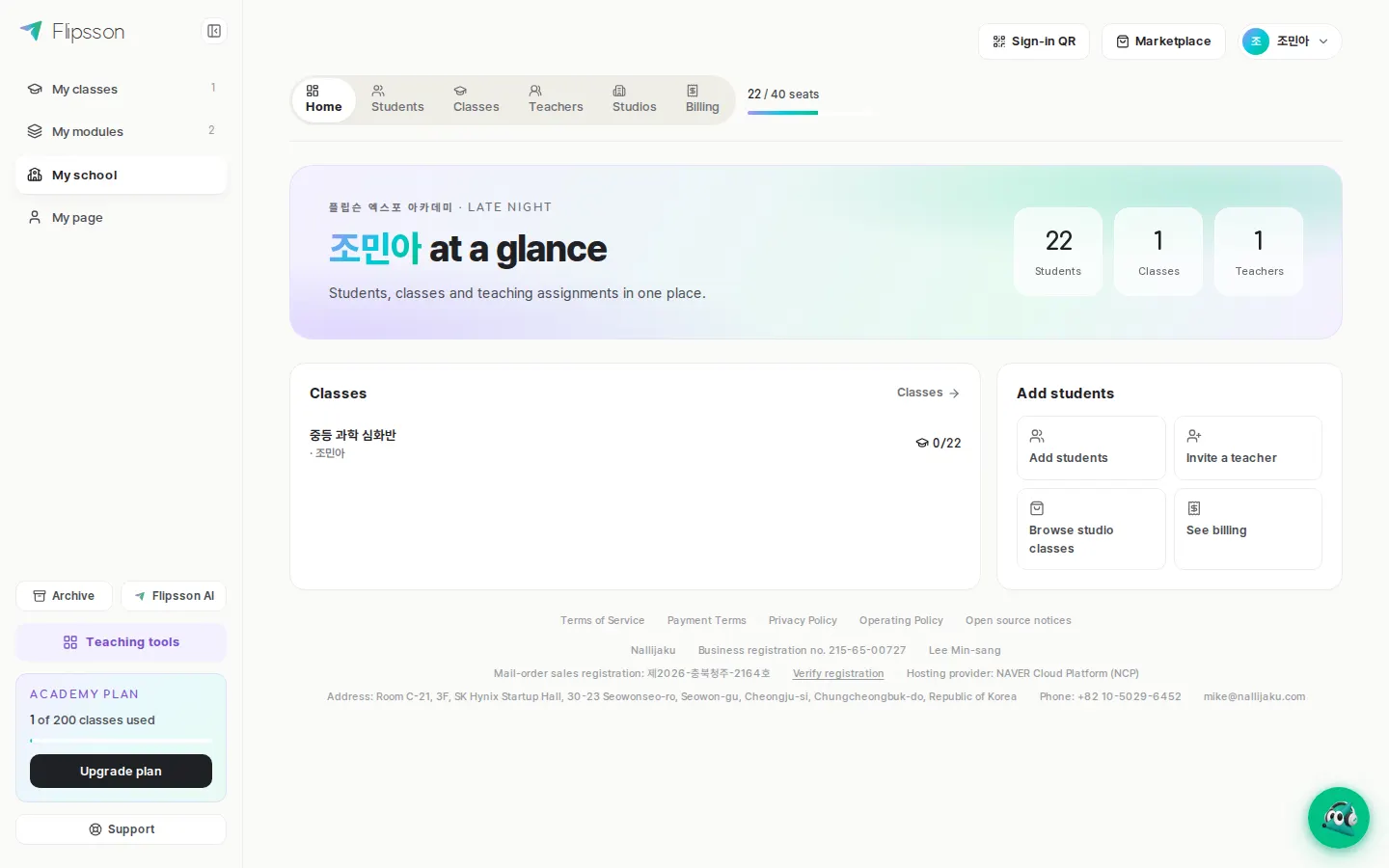
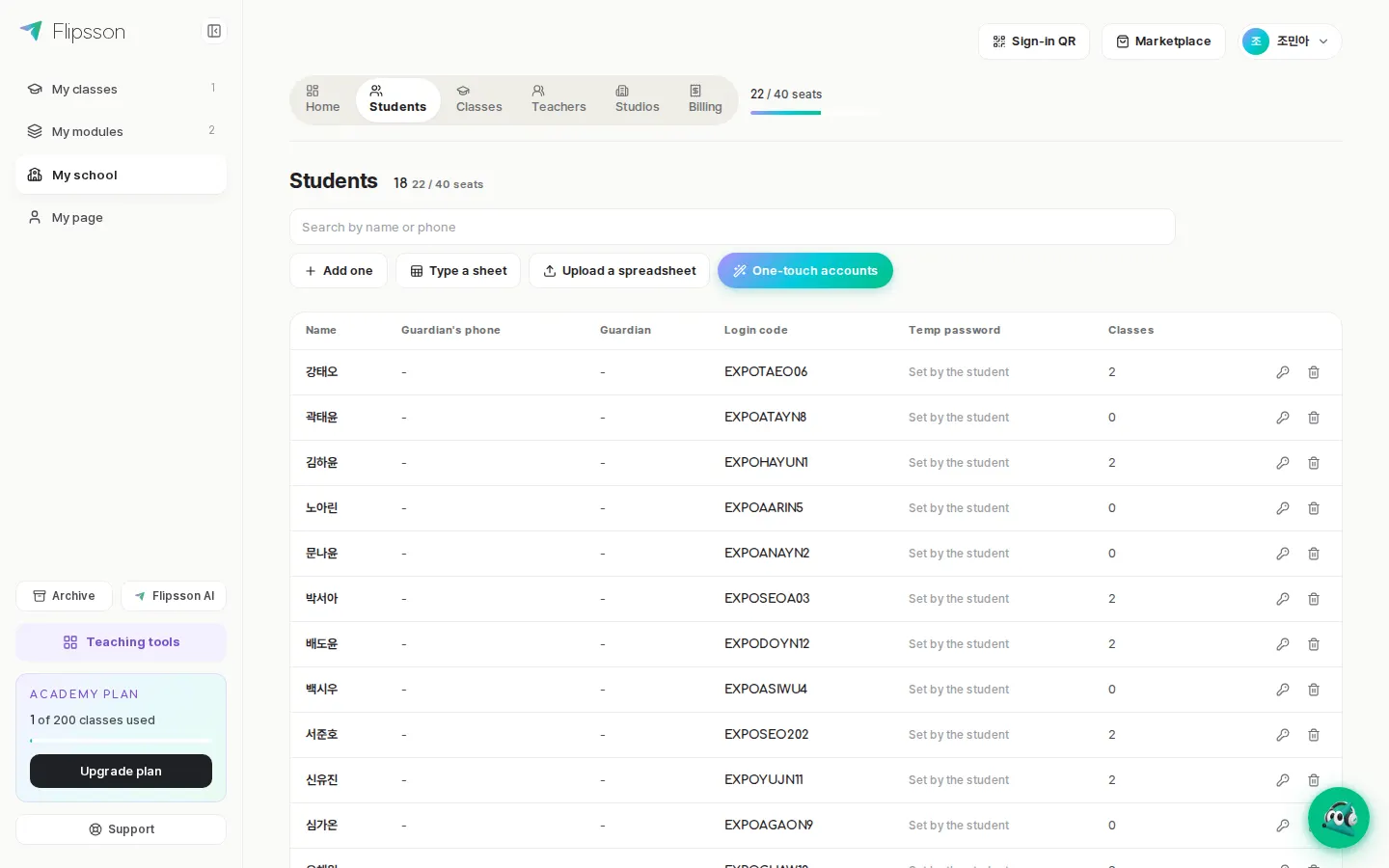
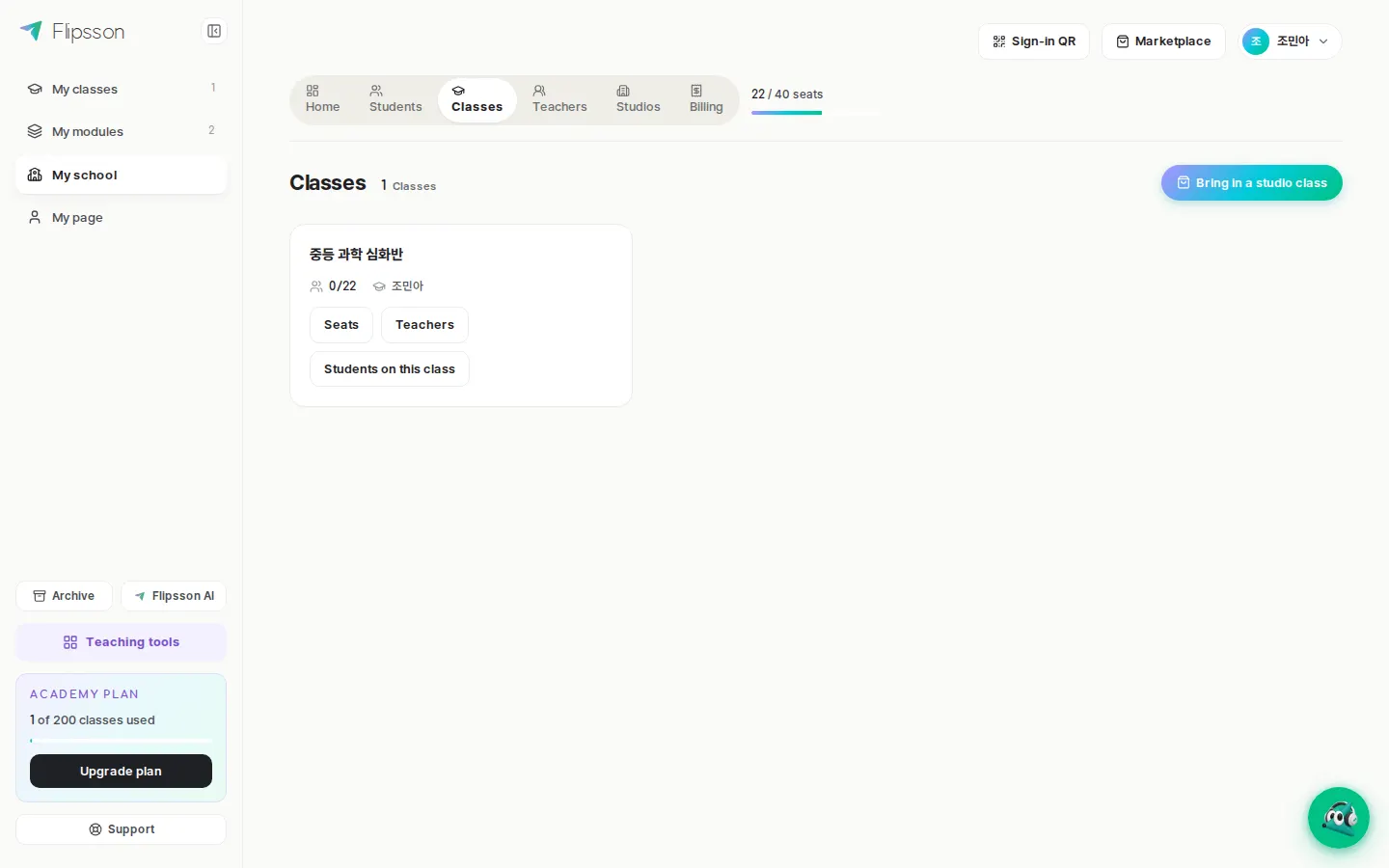
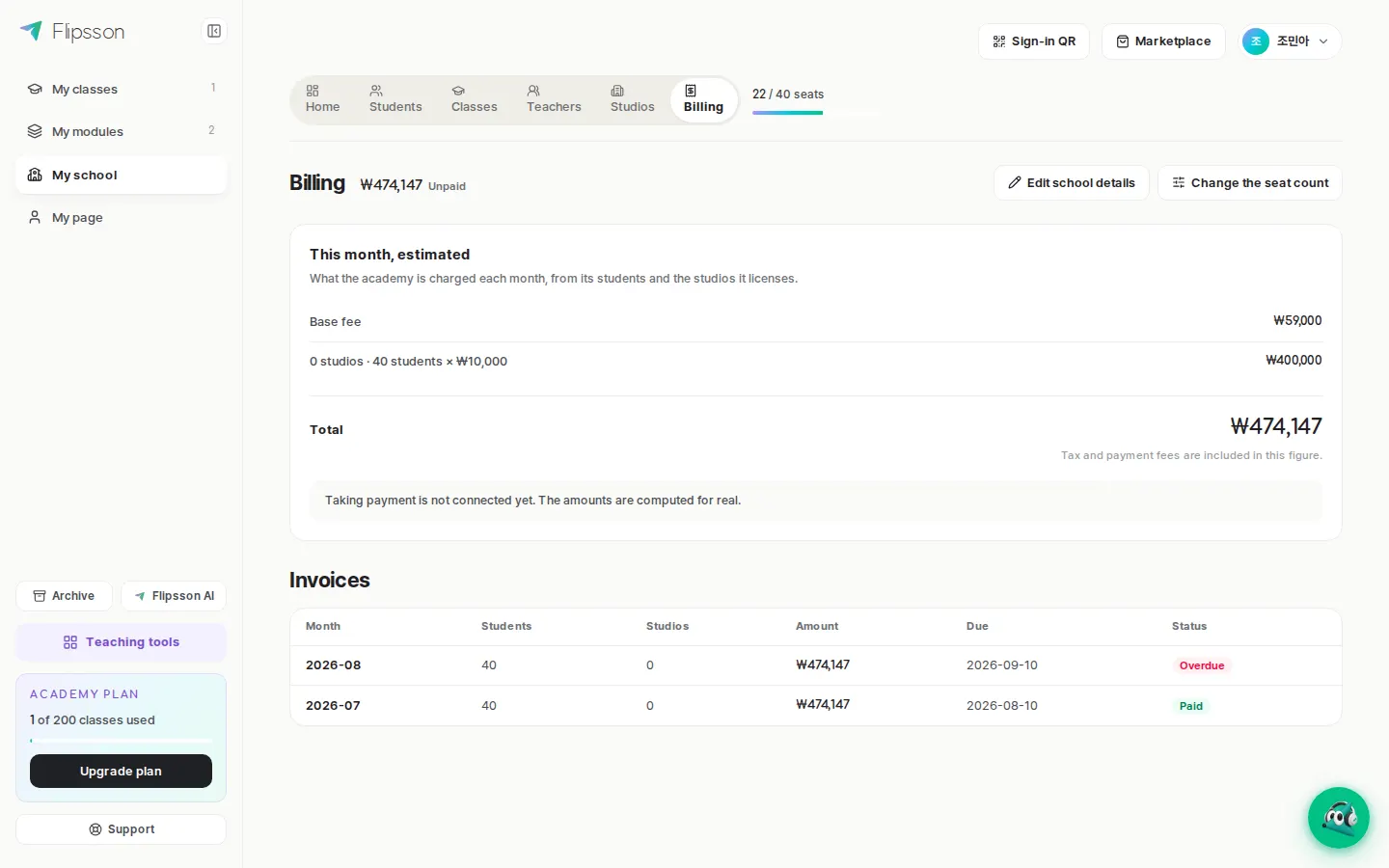
Use the quote calculator on the sign-up screen to check your estimated fee immediately and open your Academy. For content provider connections or large-scale adoption, please consult us through an adoption inquiry.
- Contact
- Flipsson institutional adoption support
- Phone
- 010-5029-6452
- [email protected]
- Last updated
- September 26, 2026